
Experience the ease of viewing, saving, and organizing Adobe Illustrator files directly on your Android device with the AI Viewer app. You can preview all pages of .ai files in multiple languages, access shortcuts for Adobe Illustrator on both Windows and Mac, save .ai files as PDF or PNG, list all your Illustrator files, and use pinch-to-zoom for detailed inspection. With deep-link support and optional in-app purchases, you can seamlessly manage your files anytime, anywhere.
AI Viewer Features:
> Preview all pages of .ai files: View every page of Adobe Illustrator files right on your Android device, ensuring you never miss a detail of your designs.
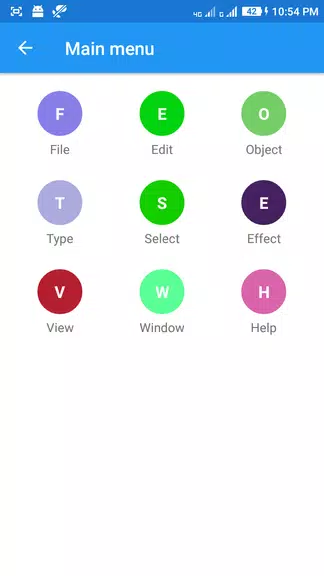
> Adobe Illustrator shortcuts: Get quick access to essential keyboard shortcuts for both Windows and Mac to streamline your design workflow and boost productivity.
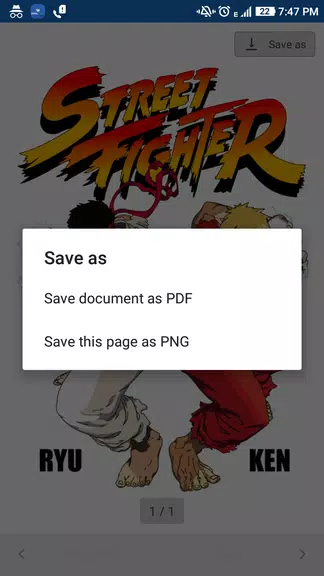
> Save files as PDF or PNG: Export .ai files to PDF or PNG formats directly to your mobile device for easy sharing and collaboration.
> List all .ai files on your device: Quickly locate and open all Adobe Illustrator files stored on your mobile with a simple, organized list view.
User Tips:
> Pinch to zoom for larger preview: Use intuitive pinch gestures to zoom in and examine fine details in your Illustrator files.
> Use deep-link support: Open .ai files directly from email attachments, Google Drive, or local storage with seamless deep-link integration.
> Utilize in-app purchases: Remove full-page ads permanently through in-app purchases for an uninterrupted viewing experience.
Conclusion:
AI Viewer is a versatile and intuitive app that makes it simple to preview, save, and manage .ai files on Android. Its robust feature set—including full-file previews, handy shortcuts, and multi-format export options—makes it an essential tool for designers, illustrators, and creatives. By leveraging its functionality and tips, users can significantly improve their mobile workflow and productivity with Adobe Illustrator files.