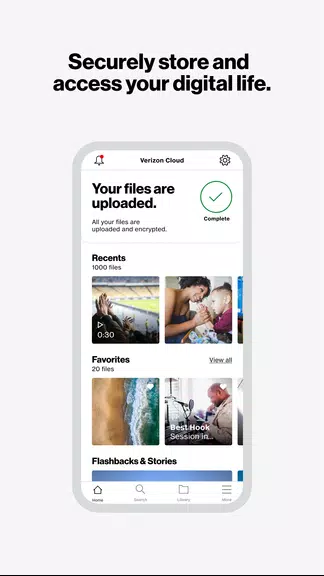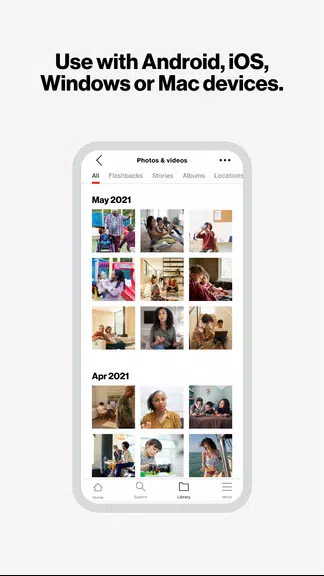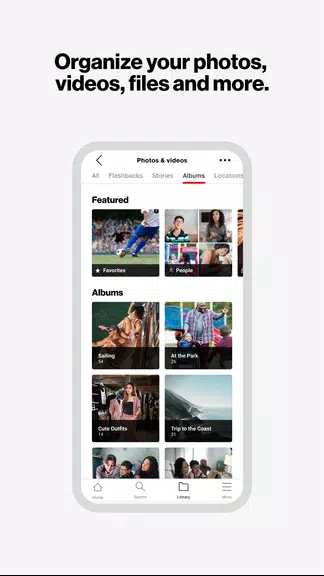

Verizon Cloud keeps your digital memories secure and readily available across all your devices. Safeguard photos, videos, and essential files with private, unlimited backups. The Unlimited Individual or Group plan includes sharing for up to 5 users, while smart features like location tagging, search, and creative editing tools help you organize and enhance your content. Rediscover meaningful moments through weekly Flashbacks and Stories curated from your collection.
Verizon Cloud Key Benefits:
- Unlimited Storage Across Devices
Store every precious photo, video, and file without limits using Verizon Cloud’s unlimited plans. Your content stays protected and synced whether you access it from smartphones, tablets, or computers. The Family Group option extends this convenience to five users, providing shared storage perfect for households. Never delete another memory due to space constraints—your digital life expands effortlessly with Verizon Cloud.
- Simple Sharing Across Platforms
Quickly send photos and videos to friends and family through your favorite messaging apps. Verizon Cloud works seamlessly across Android and iOS, eliminating compatibility barriers when sharing memories. Whether it’s vacation photos or important documents, distribute content instantly while maintaining full quality. Stay connected with loved ones by making every shared moment effortlessly accessible.
- Enhanced Privacy with Locked Folders
Secure confidential files in Verizon Cloud’s PIN-protected private vault. This dedicated space shields sensitive documents and personal media from unauthorized access while keeping them conveniently available to you. Financial records, private photos, or work files remain safeguarded behind an extra layer of security, giving you control over who sees your most important digital assets.
- Smart Organization Tools
Automatically categorize memories by tagging people and locations for instant retrieval. Verizon Cloud’s intelligent search function lets you find specific photos or videos in seconds—whether you need last year’s birthday photos or documents from a business trip. Transform chaotic galleries into neatly organized digital albums with customizable tagging systems that adapt to your needs.
- Creative Photo & Video Editing
Elevate ordinary snapshots into shareable artworks using built-in filters, stickers, and movie-making tools. Craft professional-looking slideshows or fun social media content directly within Verizon Cloud. Personalize memories before sharing them across devices, adding captions, music, and transitions to create engaging visual stories that capture every detail perfectly.
- Automated Memory Highlights
Rediscover forgotten gems through weekly Flashback compilations and algorithmically generated Stories. Verizon Cloud automatically surfaces meaningful past moments, creating watchable retrospectives of vacations, holidays, and everyday highlights. These curated memory collections make reminiscing effortless—perfect for reliving milestones or sharing nostalgic moments with family.
Final Thoughts:
Verizon Cloud delivers comprehensive digital asset management with robust security and creative tools. From military-grade backups to intuitive sharing features, it ensures your memories remain protected yet accessible. The platform’s organizational intelligence and automated memory features eliminate digital clutter while celebrating your personal history. Start preserving life’s important moments today with Verizon Cloud’s reliable, feature-rich storage solution.