Re-rolling your Avowed character? It happens! This guide explains how to respec your abilities, attributes, and even your companion's stats.
Why Respec?
Choosing the right build at the start can be tough. If your initial class or attribute choices aren't working out, respecing lets you adjust and create your ideal character. This is particularly useful in Avowed, where experimenting with different playstyles is encouraged.
Respeccing Abilities
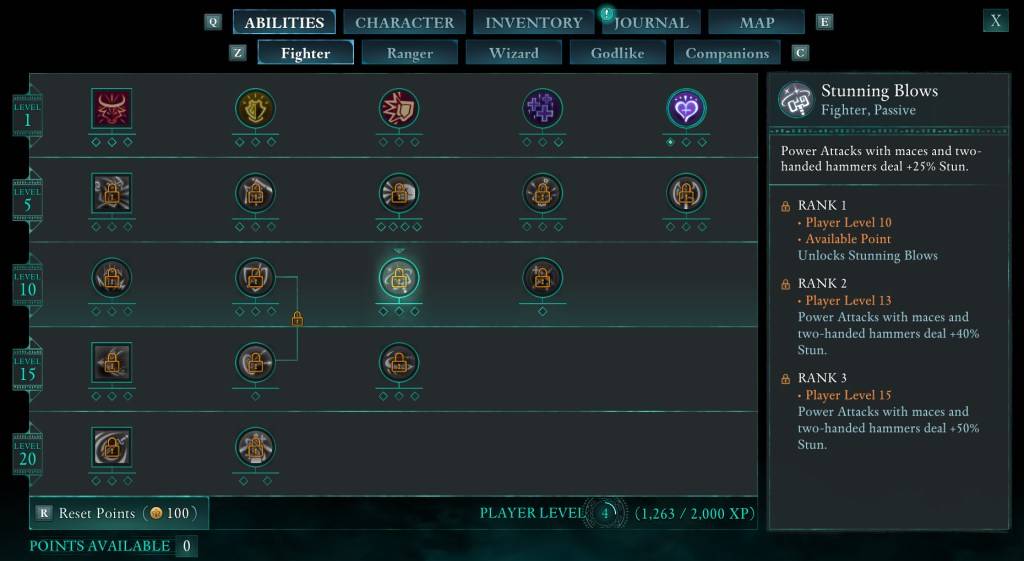
To reset your ability points, open the menu, go to the "Abilities" section, and find the "Reset Points" option near the bottom. This initially costs 100 Copper Skeyt, increasing with game progression. Confirm the reset to redistribute your points across skill trees (excluding the unchangeable "Godlike" abilities).
Respeccing Attributes
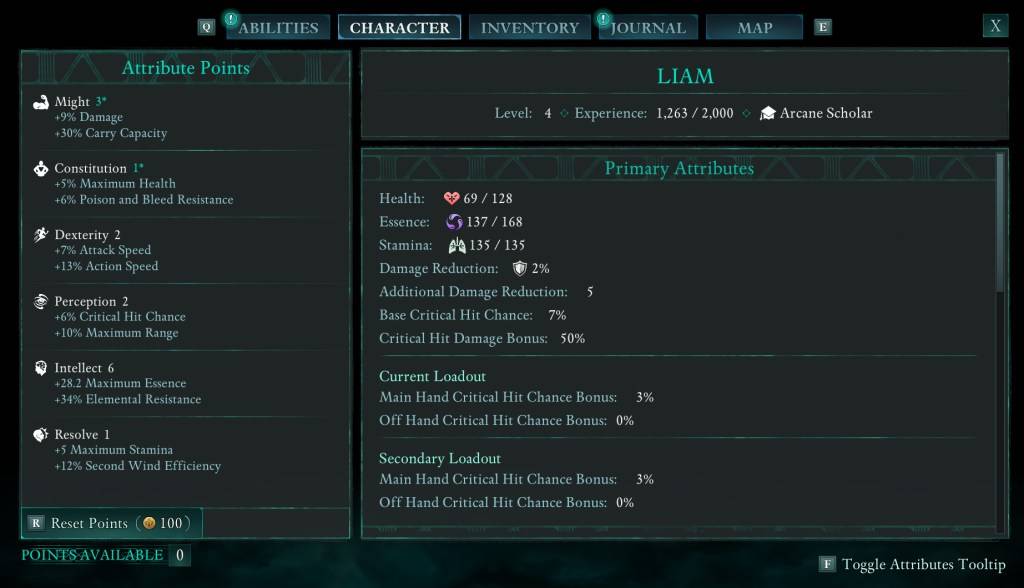
If you're happy with your abilities but need to adjust attributes, navigate to the "Character" section in the menu. At the bottom, below your attribute listings, you'll find a button to reset your attribute points. The initial cost is also 100 Copper Skeyt, scaling upward with gameplay.
Respeccing Companions
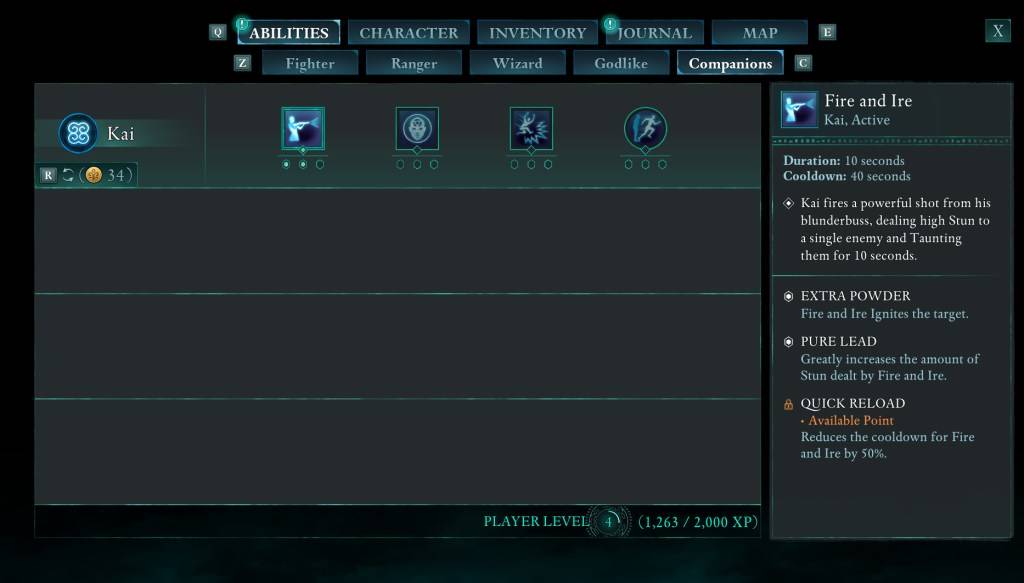
To respec your companion, open the menu, select "Abilities," then the "Companions" tab. Under your companion's name, you'll see a button to reset their points for a Copper Skeyt cost. Note: Each companion must be respecced individually.
In short: Respeccing in Avowed is straightforward and provides the flexibility to refine your character build throughout your adventure. Avowed is available now.