Clear fault codes and monitor DPF status in BMW vehicles
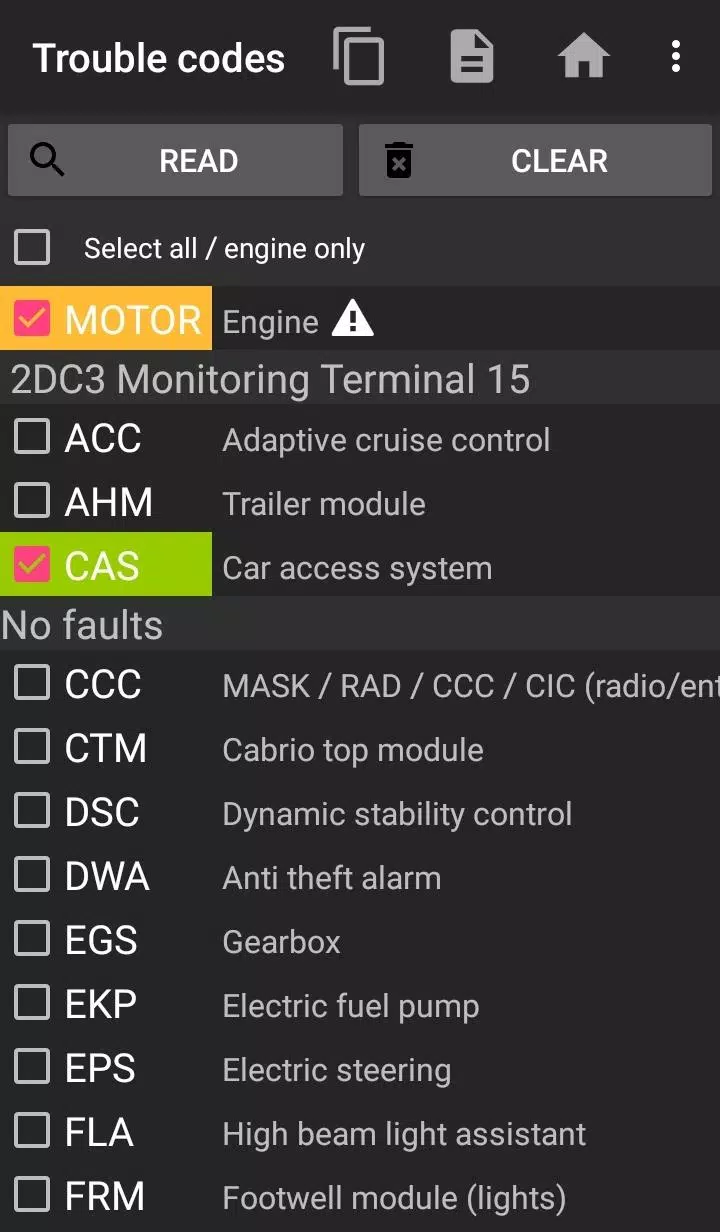
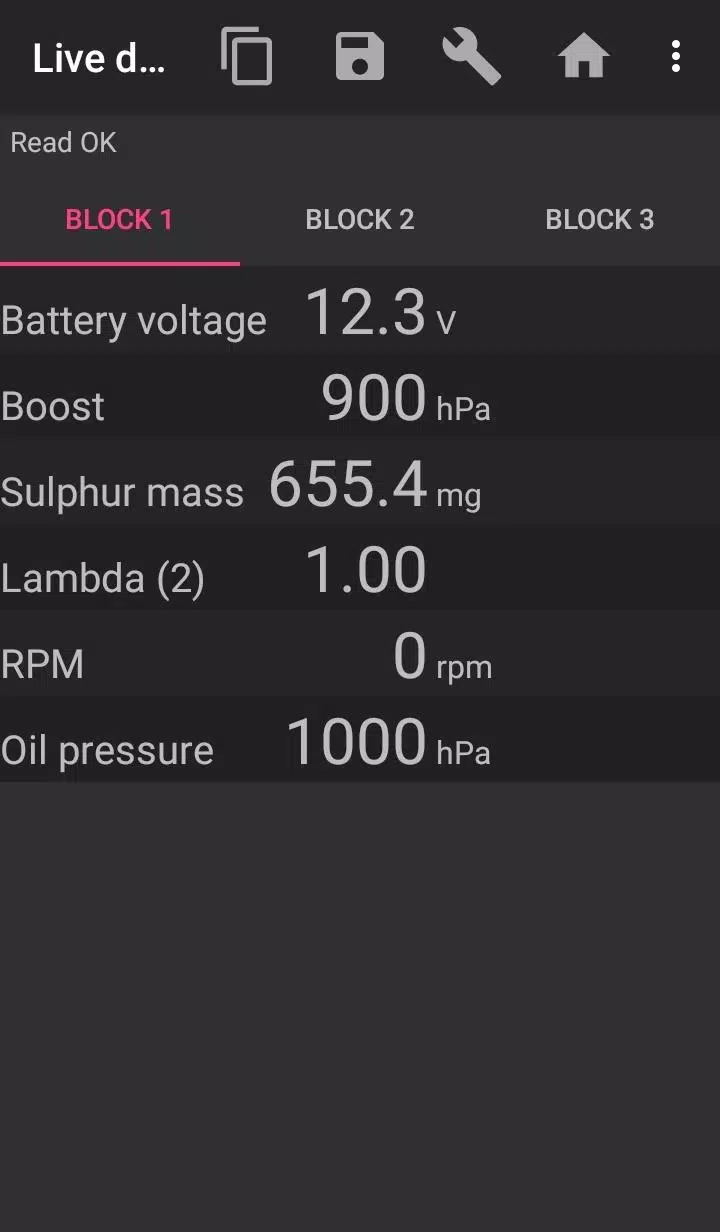
Bimmer-Tool enables reading and clearing fault codes, initiating DPF regeneration, accessing live engine data, and performing various other functions in BMW cars.
For vehicles manufactured before 2008, application functionality is limited, and a K+DCan USB cable connection is recommended. Wireless ELM adapter connections with pre-2008 models may be unavailable or offer limited functionality.
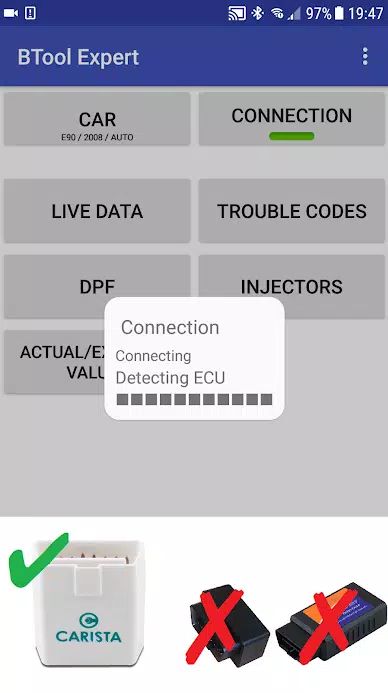
Important: This application requires a dependable OBD adapter. K+DCan cable, ENET adapter (for F/G series), or the following Bluetooth adapters are recommended:
- Vgate vLinker MC/FS/BM/FD https://www.vgatemall.com/products/
- UniCarScan UCSI-2000/USCI-2100: Choose setting: D-Can mode: MODE2 https://www.wgsoft.de/shop/obd-2-komplettsysteme/unicarscan/114/unicarscan-ucsi-2000-diagnoseadapter
https://www.bmdiag.co.uk/unicarscan-ucsi-2000-bluetooth-obd2-adapter
- Carista https://caristaapp.com/adapter
- Veepeak OBDCheck BLE https://www.veepeak.com/product/obdcheck-ble
Application capabilities include:
- Reading DPF regeneration status and detailed information
- Initiating DPF regeneration
- Resetting DPF adaptation values (necessary after filter replacement)
- Monitoring exhaust gas pressure
- Reading injector calibration data
- Accessing actual and expected values for air mass, intake manifold pressure, and fuel pressure
- Logging data to CSV files for analysis
- Registering battery replacement (without modifying battery properties)
- Resetting lamp circuits blocked by short-circuit errors
- Resetting oil/brake service and maintenance intervals**
Supported OBD adapters
- K+D-Can USB: Recommended as the most reliable adapter. Requires additional USB-OTG cable.
- ENET cable/WiFi Adapter: Recommended for F & G series. ENET cable connections require a USB-C to Ethernet adapter.
- ELM327 Bluetooth: Bluetooth connection may be slower than USB. Only authentic ELM327 or PIC18-based adapters are compatible. May not work with older engines. Additional details below.
- ELM327 WiFi: Similar to ELM Bluetooth, connection stability may vary. Some devices require mobile data to be disabled when using WiFi adapters.
For questions or assistance, please email us. Our contact information is available at the bottom of the page.
Quick start guide
1) Connect adapter to OBD II port
2) Turn ignition to ON position
3) Establish connection between adapter and phone:
* USB: Connect adapter to phone using USB-OTG cable. Select bimmer-tool when prompted.
* Bluetooth: Access phone Bluetooth settings. Search for devices and pair with adapter (PIN typically 0000 or 1234).
* WiFi: Disable mobile data. Enable WiFi and connect to adapter's network.
4) Launch app, navigate to 'Car' section, and select model and year.
5) Access 'Connection' settings to choose connection type, adapter model, and communication protocol.
6) Tap 'Connect' to establish communication.
**Limitations:
For pre-2008 models and e46/e39/e83/e53 series, the app requires K+DCan cable connection and only supports engine ECU. Wireless ELM adapter connections may not function.
Common issues
- Intermittent 'No response' errors in 2007 and earlier models with BT/WiFi adapters. If occurring periodically, try enabling ATWM in advanced connection settings.
- Connection failure: If settings are correct but connection fails, force-close all diagnostic applications (including bimmer-tool) or restart the device and retry.
Application permission requirements
- Storage: Necessary for USB adapter functionality
- Photos/Media/Files: Enables CSV file creation
- Bluetooth pairing and settings: Required for Bluetooth adapters
- Full network access: Essential for WiFi adapter operation
- Approximate location: While Bluetooth can theoretically determine location, this app does not access or utilize location data.
What's New in the Latest Version 3.7.6-L
Last updated on Nov 10, 2024
Diesel idle speed calibration
Throttle body management